Experimental version of an intelligent system that runs on iOS to control the Snapchat app automatically using Appium.
Bot-Snapchat-Appium is a smart automation system designed to control the Snapchat app on a real iPhone device without jailbreak. It leverages Appium + Flask Web Server to automate tasks through a smart bot connected to a private network.
Watch the demo on YouTube:
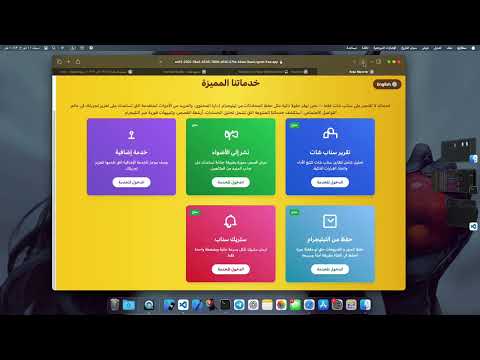
- ✅ Automatically send Streaks to all friends or groups.
- ✅ Support for sending Stories to Spotlight or personal story.
- ✅ Download videos from Telegram links (channels / groups / private chats).
- ✅ Automatically share Telegram content to Snapchat.
- ✅ Automatically record the screen for each step (complete process documentation).
- ✅ Session and device management (Available / Busy).
- ✅ Easily customizable per client requirements.
This version is experimental and intended for testing only. Requests can be submitted via WhatsApp or Telegram to try the service and contribute to its development.
- 🐍 Python 3.x
- 🔧 Appium
- 🧪 Xcode (macOS)
- 🌐 Ngrok
- 📱 Real iPhone connected via USB
To enable Appium to communicate with your real iPhone, you must configure WebDriverAgent:
- Clone the WebDriverAgent project:
git clone https://github.com/appium/WebDriverAgent.git-
Open
WebDriverAgent.xcodeprojin Xcode. -
Set the Team in Xcode project settings for both:
WebDriverAgentLibWebDriverAgentRunner
-
Ensure the Bundle Identifier is unique (e.g.,
com.yourname.WebDriverAgentRunner). -
Connect your iPhone and select it as the build target.
-
Run the
WebDriverAgentRunnertarget on your device (⌘ + R).
Once deployed successfully, Appium will be able to drive the Snapchat app through this bridge.
-
Connect a real iOS device via USB.
-
Start Appium server:
appium- Run Flask server:
python3 -m flask run --host=0.0.0.0 --port=8000- Start Ngrok to expose Flask API:
ngrok http 8000- (Optional) For fast execution (e.g., sending quick Streaks without using the web interface):
python3 scripts/Strak_Snapchat.py "Story text" "username"- (Optional) Add new API keys using a POST request:
curl -X POST http://127.0.0.1:8000/api/add_key \
     -H "Content-Type: application/json" \
     -d '{
           "key": "sk_live_1234567890abcdef",
           "credits": 50
}'- Modify device configuration inside scripts (
report.py,story_spotlight.py,Strak_Snapchat.py) in this section:
options = XCUITestOptions()
options.platform_name = 'iOS'
options.platform_version = '15.7.5'
options.device_name = 'iphone'
options.automation_name = 'XCUITest'
options.udid = 'your-device-udid'
options.bundle_id = 'com.toyopagroup.picaboo'  # Snapchat
options.xcode_org_id = 'your-org-id'
options.xcode_signing_id = 'iPhone Developer'
options.use_new_wda = True-
After starting ngrok, manually update the public URL in the following files:
Report.Snapchat.htmlStory.Spotlight.htmlStrak.Snapchat.htmlreport.pystory_spotlight.pyStrak_Snapchat.py
To request the service or contribute to its development:
📨 Telegram : Click here
#SmartTools #AutoStreak #Telegram #Snapchat #iOS #Bots #Appium #DigitalServices